After the latest cumulative update for Windows 10 and 11 (2023-04), many users have reported problems. One of the Problem mentioned is, opening Chrome triggers the default app Settings Window to launch. This issue has affected many systems. A customer on the Community Forums wrote:
After today’s cumulative update for Windows 10 and 11, 2023-04, every time I open Chrome the default app settings of windows will open. I’ve tried many ways to resolve this without luck. This is happening to all 600 systems with the update. Removing the update makes the issue go away. Anyone else having this issue?
Alongside removing the update, there is another fix which you can try, which I have written below. This Group Policy sets Chrome Browser as default, hence it does not trigger the Default App Settings Window, thereby resolving the issue.
Use Group Policy as a workaround to Set Chrome as the default browser.
A Chrome Policy called “DefaultBrowserSettingEnabled” can be set if you want to set Default Browser, which is why the Default App Window appears. Setting the policy to True, has Google Chrome always check whether it’s the default browser on startup and, if possible, automatically register itself. Setting the policy to False stops Google Chrome from ever checking if it’s the default and turns user controls off for this option. (Source)
Concurrently, To add this Policy, you will need to use a Command given below, which sets the default Browser, henceforth resolving the issue.
Add Group Policy to resolve Default App Settings Window being triggered.
- Type cmd in the search and press Ctrl+Shift+Enter. Pressing the shortcut together ensures that you open Command Prompt as an administrator.
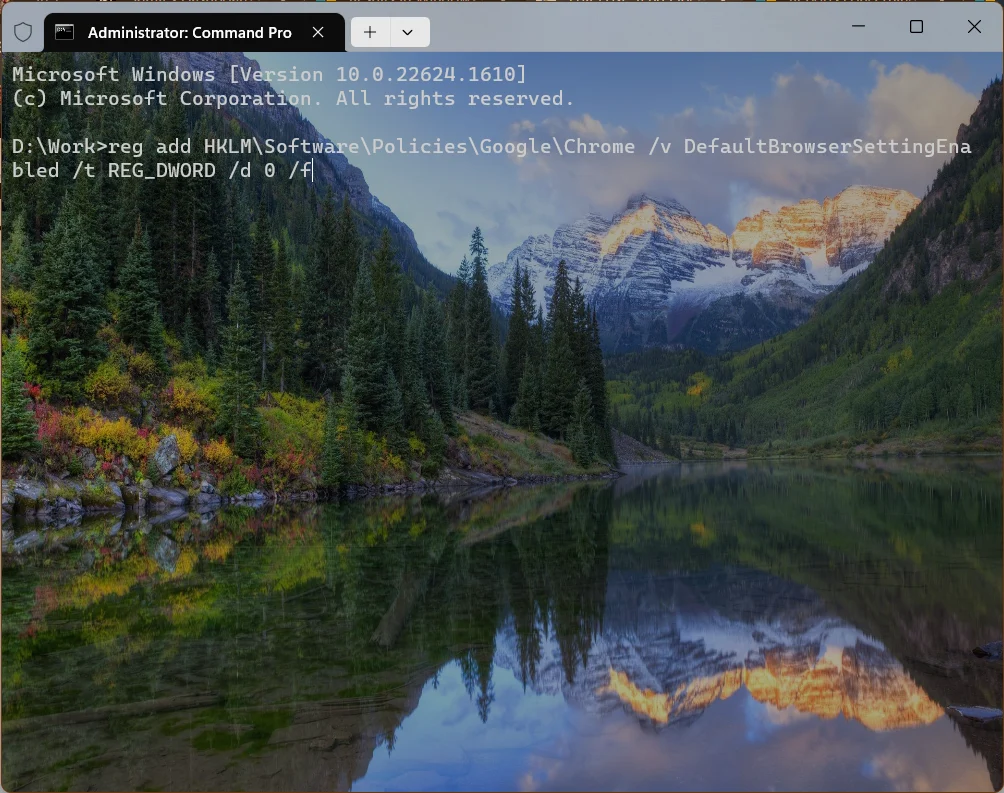
- Execute the command below to set the Default Browser Policy to resolve Default App Settings opened at startup:
reg add HKLM\Software\Policies\Google\Chrome /v DefaultBrowserSettingEnabled /t REG_DWORD /d 0 /f
- The issue will be resolved as soon as you restart the computer.
Also read: How to change the default apps in Windows 11?
To summarise, this article can help you resolve the annoyance of the Default App Settings Windows being open every time. Additionally, as a workaround, you may be able to resolve the issue by uninstalling the latest update; however, we do not recommend this method.