This article discusses the differences between Windows 11 Home vs Pro editions, if you are planning to purchase a Windows 11 license.
Table of Contents
About Windows 11
Windows 11 is Microsoft’s latest OS in the Windows family, featuring a modern Fluent Design interface with a centered Start menu. Key changes include the following:
- Productivity-focused tools, such as Snap Layouts, enable efficient window management and separate virtual desktops, allowing for seamless multitasking.
- Security: Security is significantly enhanced by the addition of mandatory TPM 2.0, Secure Boot, and virtualization-based security.
- Seamless AI integration using Copilot and other AI features in the App.
Editions of Windows 11 – especially Windows 11 Pro vs Home
Windows 11 offers three editions to meet different user needs: Home, Pro, and Enterprise. The core features of Windows 11 remain the same for everyone, but they differ in areas such as security and management. Let us discuss one by one.
Windows 11 Home
Designed for general users, this edition focuses on simplicity and lightness. Laptop manufacturers typically preinstall it if you buy from an OEM, and in Asia, it’s sold as Windows 11 Home Single Language.
Windows 11 Pro
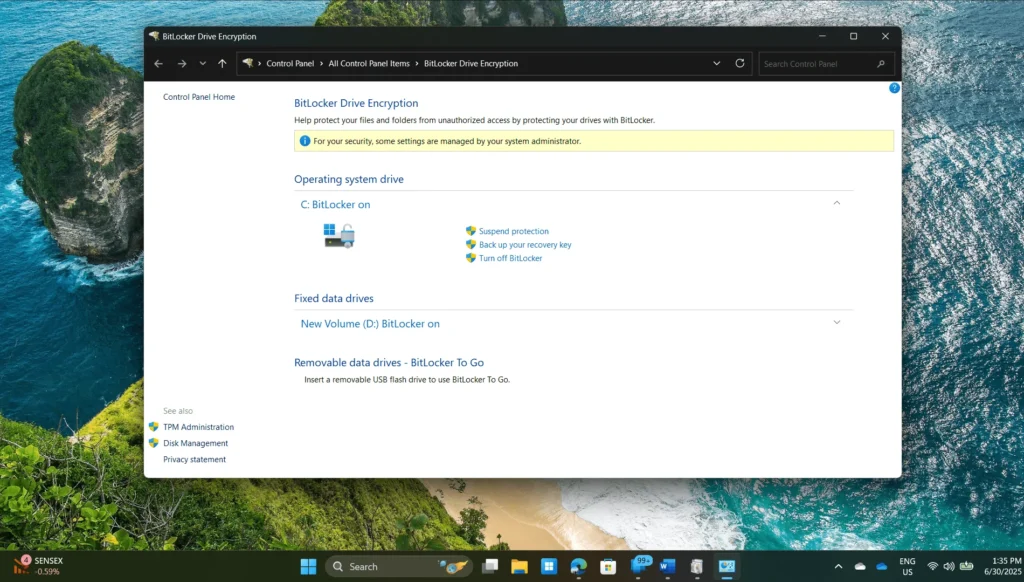
Pro is intended for professionals and small businesses. It includes encryption using BitLocker, remote device management through Group Policy, and virtualization tools such as Hyper-V and Windows Sandbox. Pro supports up to 2TB of RAM, dual CPUs, and provides controlled updates via Windows Update for Business.
Windows 11 Enterprise
This edition includes all Pro features, along with enterprise-grade security features such as Microsoft Defender Firewall and Credential Guard. It facilitates extended support cycles – three years compared to the two years provided for the Pro version. Microsoft only sells it through its partners.
The following section outlines the differences between Windows 11 Pro and Windows 11 Home specs, including features, security, and use cases.
Windows 11 Home vs Pro – What is the difference
The Windows 11 Pro vs Windows 11 Home specs are the same, and they are available for purchase on the Microsoft website for end consumers. Microsoft also offers a Pro upgrade pack, which you can use if you have a Windows 11 Home license to access Professional-level features at a nominal cost. I have listed the differences between Windows 11 Home vs Pro below in tabular format if you are planning to buy a Windows 11 License.
| Feature | Windows 11 Home | Windows 11 Pro |
| Maximum RAM support | 128 GB | 2 TB |
| Maximum CPU cores supported | 64 | 128 |
| Hyper – V | ❌ | ✅ |
| Control Windows updates | ❌ | ✅ |
| Windows Sandbox | ❌ | ✅ |
| Device Encryption | ✅ | ✅ |
| Bitlocker | ❌ | ✅ |
| Windows Sandbox | ❌ | ✅ |
| Remote desktop | Can only connect to a Pro computer | Can be connected as a Host or act as a client |
| Windows Hello | ✅ | ✅ |
| Group Policy Editor | ❌ | ✅ |
| Adding to a domain | ❌ | ✅ |
| Price | $139.00 | $199.99 |
| Purchase link | Windows 11 Home | Windows 11 Pro |
A cross (❌) indicates that a feature is not supported, while a tick (✅) signifies that a feature is supported.
These differences can help you decide which Windows 11 edition to choose for your next installation: Windows 11 Pro vs Home.