Looking to convert an OST to PST online easily? Check out this guide
If you have an old OST file and need to access the emails or other mailbox data stored inside it, converting the OST file to PST can be a useful option. OST files are normally linked to the Outlook profile or account that created them, which makes opening them directly difficult in many situations. For example, this can happen when an Outlook profile is corrupted, a Microsoft 365 account is removed, or an Exchange server is no longer available.
Table of Contents
What is an OST file?
An OST file is an Outlook data file that stores a local, synchronized copy of mailbox data on your computer. It is mainly used when Outlook is connected to an Exchange or Microsoft 365 account, allowing you to work with emails and other mailbox content even when the server is temporarily unavailable. However, an OST file is normally tied to the original Outlook profile and account, so you cannot simply open it like a PST file. This is why OST to PST converter can become necessary when the original account or Outlook profile is no longer available.
How does OST to PST online conversion work?
An online OST to PST converter can be useful when you need a quick conversion without installing a desktop application. The process is browser-based, and it can be done without outlook.
Step-by-step process for converting OST to PST:
- Complete the required email verification
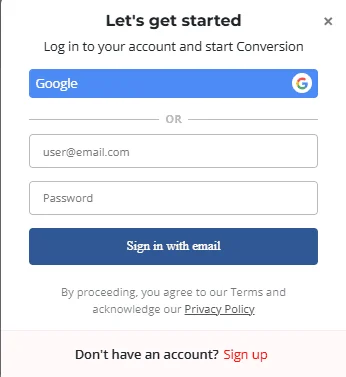
- Upload the OST file
- let the service process & convert OST to PST file
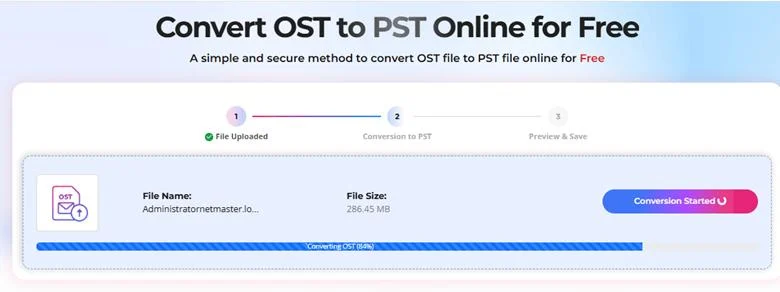
- and then check HTML preview & download the converted PST file.
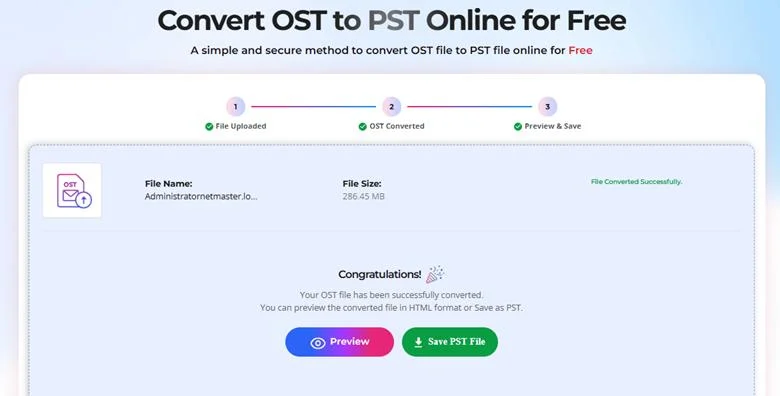
- You can then open the PST in Outlook.
This approach is best for small OST files, one-time conversions, and users who don’t want to install additional software.
For smaller files, you can use Stellar’s online OST to PST converter for free for files up to 500MB, and for $29 for files up to 5GB. This is a convenient option when you need to convert one relatively small OST file and don’t require advanced conversion features.
What if the OST file is larger than 500MB?
The online option works well for quick conversions, but larger OST files can require a different approach. If your OST file is above the 5GB, or you are working with multiple mailboxes, large enterprise data, or advanced conversion-related requirements, the desktop version is a more practical choice, for which Stellar Converter for OST is a handy tool discussed here. The supplied guidance also highlights features such as automatic or manual OST discovery, mailbox preview, selective folder conversion, large OST support, and maintaining the original folder structure.
The desktop application Stellar Converter for OST is therefore better suited for IT administrators, Microsoft 365 or Exchange administrators, MSPs, consultants, and users dealing with large mailbox files. It also gives you more control when you need to preview complete mailbox data emails, contacts, calendars, and attachments before starting the conversion.
OST to PST online service or desktop tool?
The choice mainly depends on the size and complexity of your OST file & conversion requirements. Stellar’s OST to PST online converter is a good starting point for a small, one-time conversion, while the desktop solution makes more sense for larger OST files and advanced mailbox conversion requirements. The online service focuses on simplicity and quick conversion, whereas the desktop version provides additional features for more demanding scenarios.
If you have a small OST file, start with the free online OST to PST converter. If the file is larger or you need advanced options, the desktop version, Stellar Converter for OST is a better fit.
Have you tried converting an OST file to PST online? Let us know about your experience in the comments.