If you have a Microsoft Business account and have lost 2-factor authentication, this article will help you regain access and securely reset Microsoft MFA, especially if you’re a Sole Global Administrator.
Table of Contents
What is a Microsoft 365 Business account?
A Microsoft 365 Business account is an account that your company gives you to use tools like Outlook, Teams, Word, and OneDrive. It is managed by your IT admin, which means you may not always be able to reset things on your own. For example, if you forgot your password Microsoft 365 Business account or lost access to your MFA method, you will need your admin to help you regain access. These accounts are different from personal Microsoft accounts because they follow the security rules set by your organisation.
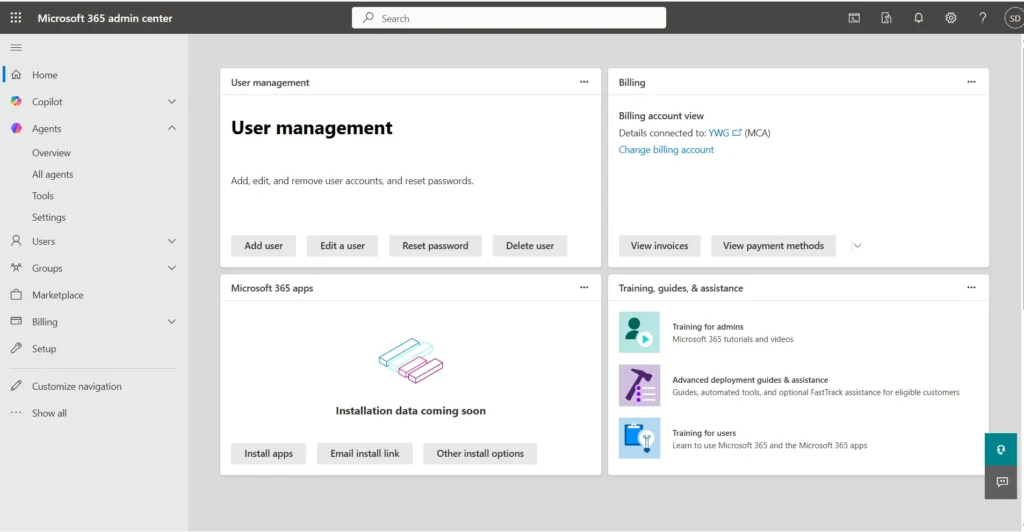
Various steps to reset Microsoft MFA
There are two scenarios where you may need to reset your password.
You have an alternative Verification method, like a phone number
If you forgot the password for your Microsoft 365 Business account, you can recover access using an alternative verification method. Click “I forgot my password” and choose another recovery option, such as receiving a verification code on your contact number.
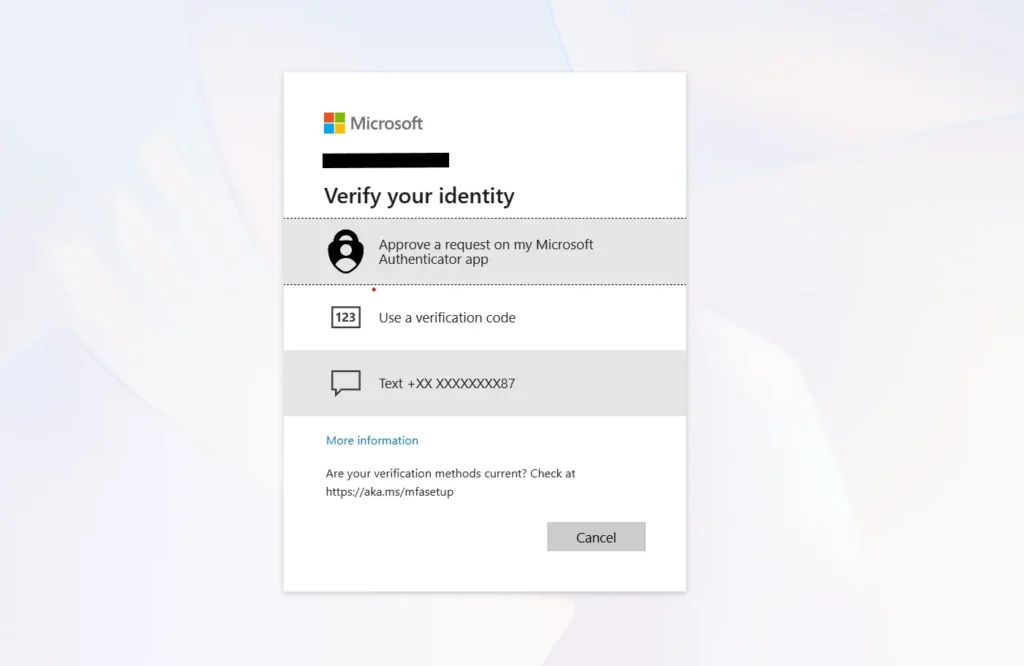
Once you enter the recovery code, you should be able to set up a new Password.
Reset using the Microsoft Admin page
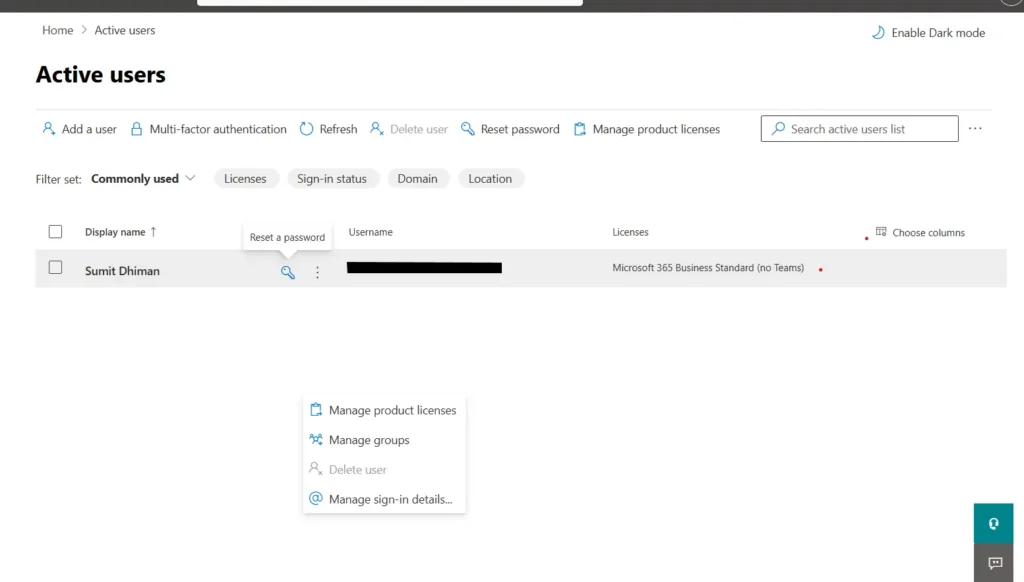
If there are multiple admins on your Microsoft 365 Business account, you can reset Microsoft MFA for an Admin from the Cloud Admin page.
Go to Home > Active users, then click the key button to proceed. You may also be prompted for authentication, if necessary.
Reset Microsoft MFA & Recover Access to Your Microsoft 365 Admin Account using Microsoft Support
Another option is to contact Microsoft support if you are locked out of your account. Please note that this method works only for Microsoft 365 Business accounts; for consumer Outlook accounts, you must complete the recovery form as described here.
Checklist
- Tenant details: Your primary domain and initial
onmicrosoft.comdomain - Administrator identity: Global Administrator UPN (User Principal Name).
- Proof of ownership: Custom domain details and access to DNS records to verify domain ownership.
- Billing & Account verification: Subscription billing info, company name, phone number on file, and alternate contact email.
- Partner / Reseller context: Details of former CSPs or resellers (if applicable) and any prior support ticket numbers.
Get the Country Support phone number
Next step, use this Microsoft support document to find the contact number for your country.
Customer service phone numbers – Microsoft Support
Then call the number. See the extensive details on how to reach a Human:
Navigating the Support IVR — Step-by-Step
When you call Microsoft support to reset Microsoft MFA or resolve a forgotten password for a Microsoft 365 issue, follow these IVR prompts:
- Wait out the intro — You may hear a ~30-second automated introduction (e.g., “you can visit the link…”). Ignore it and wait for the menu options.
- Press 1 — Select yourself as a business email user
- Press 1 again — Choose technical help
Automated IVR Conversation Guide
In some regions, the initial interaction is fully automated. Use these answers to navigate it:
- What kind of problem are you experiencing? — Answer: Login technical support.
- What product are you contacting us about? — Answer: Microsoft 365 Business Standard.
- Is this a new case or an existing case? — Answer: New case.
- Are you a Global Administrator? — Answer: Yes.
- Are you the Global Administrator for the domain? — Answer: Yes, I am the Global Administrator for the domain.
- Would you like to be connected with a Microsoft representative regarding your issue? — Answer: Yes, please.
- If asked to verify your phone number: Confirm that the phone number is already associated with the Microsoft 365 administrator profile.
Create a Temporary Tenant to Open a Support Ticket
If you get stuck in the automated IVR loop or cannot reach a live agent via telephone, offer this practical fallback method:
- Step 1: Sign up for a temporary Microsoft 365 Business trial account to generate a fresh tenant.
- Step 2: Log in to the Microsoft 365 Admin Center of the temporary tenant.
- Step 3: Go to Support > New Service Request and request an escalation to the Data Protection / Tenant Recovery team on behalf of your locked original tenant.
- Step 4: Clearly outline the locked tenant’s domain, UPN, and case history in the ticket description.
- Step 5: Cancel the subscription immediately to avoid charges.
Best Practices
See these actionable preventative steps and implement them once access is restored:
- Create Emergency “Break-Glass” Accounts: Always maintain at least two separate Global Administrator accounts with different authentication methods.
- Configure FIDO2 / Passkeys or Hardware Keys: Use resilient secondary authentication methods for administrative accounts.
- Avoid Multi-Tenant Complications: Avoid making unnecessary DNS or reseller changes while a recovery case is active, as this can delay ownership verification with Microsoft.
These steps can help you get access to your Microsoft 365 Business account.