Google Meet is a meeting Software like Zoom and Microsoft Teams provided by Google. This article describes how to open or install Google Meet in Windows 10.
How to Install Google Meet App in Windows 10
This article describes how to open Google Meet in Windows 10 by installing Google Meet site as an application, also known as PWA in Microsoft Edge.
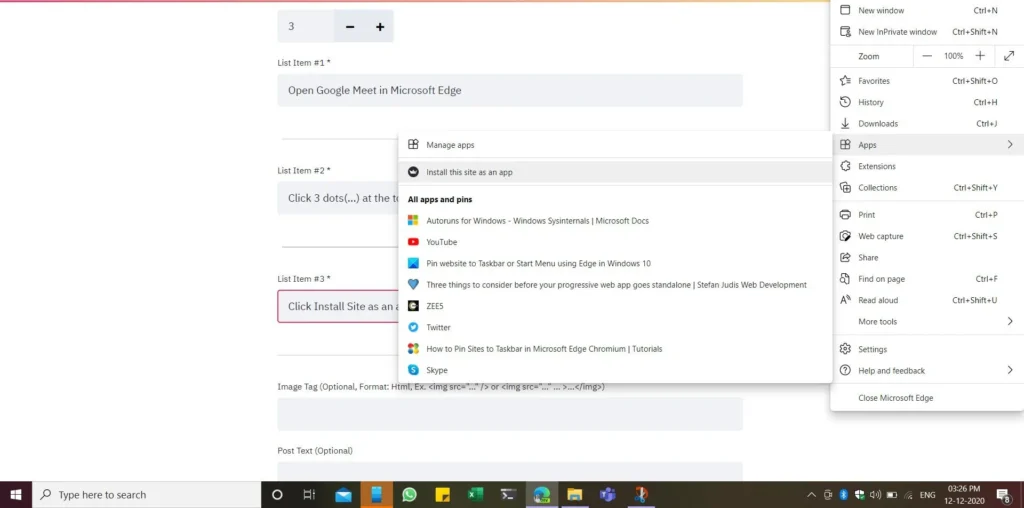
- Open Google Meet in Microsoft Edge
- Click 3 dots(…) at the top right and select the Apps menu.
- Click Install Site as an app