If you recently opened Settings > Accounts > Sign-in options in Windows 11 and noticed that the Picture password option is missing, you are not alone.
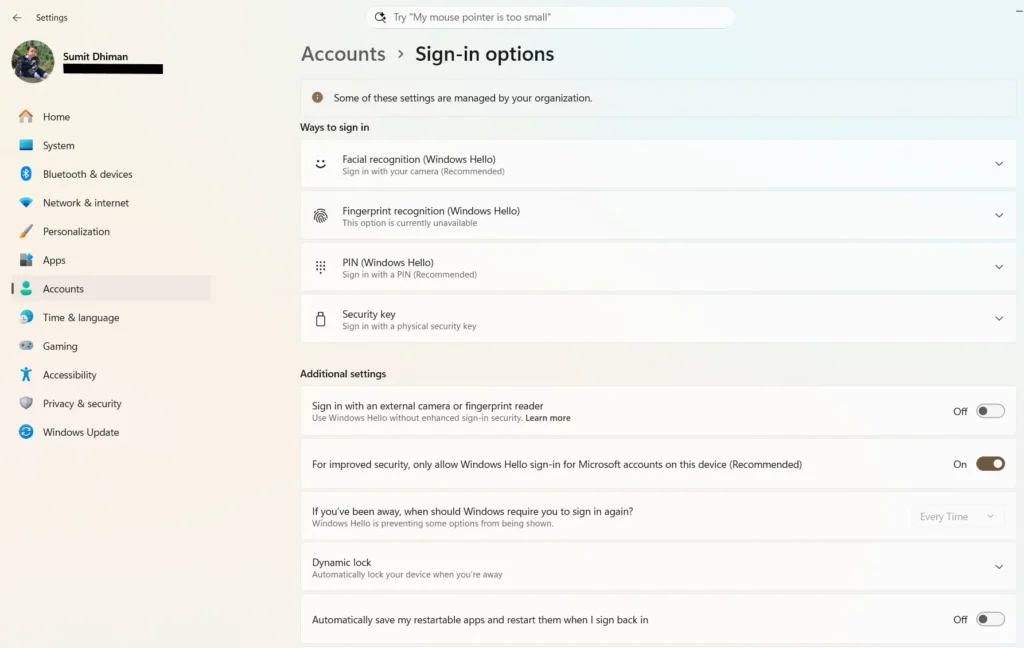
If you are not a Windows Hello PIN / Biometric / PIN user, you may have noticed that the picture password option missing from the sign-in options. Microsoft has removed the Picture password option, and the change is part of Microsoft’s push towards methods such as Windows Hello.
Table of Contents
What is the Picture Password option in Windows?
Picture Password was first introduced with Windows 8. It was designed mainly with touchscreen devices in mind. Instead of typing a traditional password, you could select a picture and create three gestures on it. These gestures could be:
- Taps
- Straight lines
- Circles
Why is the Picture password option missing?
The Picture Password option was removed as part of the Windows 11 security changes introduced with the July 2026 update. Microsoft has stated that Picture Password is no longer available for new enrollment. The company recommends using Windows Hello PIN, facial recognition, or fingerprint recognition instead, where supported.
Is Picture Password completely removed?
Microsoft has not immediately disabled Picture Password for everyone.If you already configured a Picture Password on your Windows 11 PC, you can continue using it to sign in.
In simple terms:
| Situation | Picture Password |
|---|---|
| Already configured | You can continue using it |
| Never configured | Cannot set it up |
| Remove existing Picture Password | Cannot set it up again |
| Disable/remove it and change your mind | Cannot re-enroll |
| New Windows 11 installation | Not available for new enrollment |
So if you are currently using Picture Password and want to keep it, do not remove it just to test the new sign-in options.
Why did Microsoft remove Picture Password?
The main reason is security.
Picture Password relies on gestures made at specific points on an image. While this may be convenient, it can be easier to guess than stronger authentication methods.
This does not mean every Picture Password is easy to break. But compared with modern authentication methods, Microsoft considers it a weaker option.
Microsoft is now pushing Windows users toward Windows Hello and other passwordless authentication methods.
Can I bring back the Picture Password option?
If Picture Password was never configured on the PC, there is currently no supported method to add it back i.e. the picture password option missing issue will be there. You may find older guides online suggesting registry changes, Group Policy settings, or other workarounds. These guides were written when Picture Password was still available for new users.
The July 2026 Windows 11 update documentation specifically states that Picture Password is no longer available for new enrollment.
Therefore, changing a registry value is not the recommended solution.
What if I already use Picture Password?
You don’t need to change anything immediately.
If Picture Password is already configured on your Windows 11 PC, Microsoft says you can continue using it. The important thing is that removing the existing Picture Password means you will not be able to create it again.
So if you prefer Picture Password and it is still working, keep it configured.
If you are comfortable moving to a newer sign-in method, you can switch to Windows Hello PIN, fingerprint, or facial recognition instead.