If your Windows 10 Search Background is white all of a sudden, have a look at this known issue
This article discusses a known issue in 2026 where, all of a sudden, the Windows 10 Search background is white, making the text unreadable.
Table of Contents
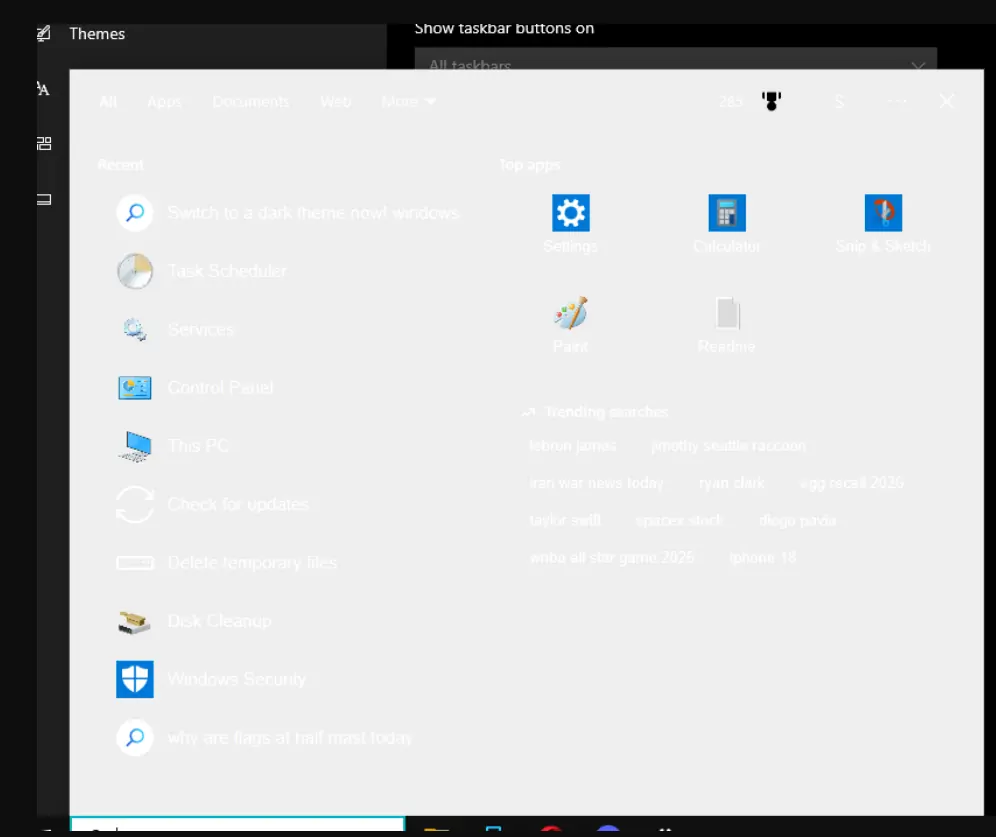
Why has Windows 10 search bar turned white in dark mode?
If you have recently noticed a white background when you try to find a file on your computer, you are not alone. Many people have been seeing the same issue because their Windows 10 search background is white, even though they have dark mode turned on everywhere else. This sudden glitch seems to have popped up out of nowhere, affecting both Windows 10 and some Windows 11 machines.
It turns out this annoying issue isn’t your fault, and it doesn’t mean your computer is broken. The culprit appears to be a behind-the-scenes server glitch related to Microsoft’s Bing search integration. Thankfully, the tech community has already found a quick workaround. Run a simple registry fix to disable web results in your Start menu.
The fix is easy – run some simple commands
As discussed above, the Windows 10 Search bar turning white in Dark mode appears to be due to Bing Search Integration. Windows 11 preview Builds can disable Web Search aka Bing Integration easily, but no option exists in Windows 10. For that, it needs to be done manually. See the steps below:
- Right-click the Start menu > Choose Windows PowerShell (Admin).
- Run these commands:
reg add "HKCU\SOFTWARE\Microsoft\Windows\CurrentVersion\Search" /v BingSearchEnabled /t REG_DWORD /d 0 /f

taskkill /f /im SearchApp.exe
taskkill /f /im SearchHost.exe
taskkill /f /im SearchUI.exe
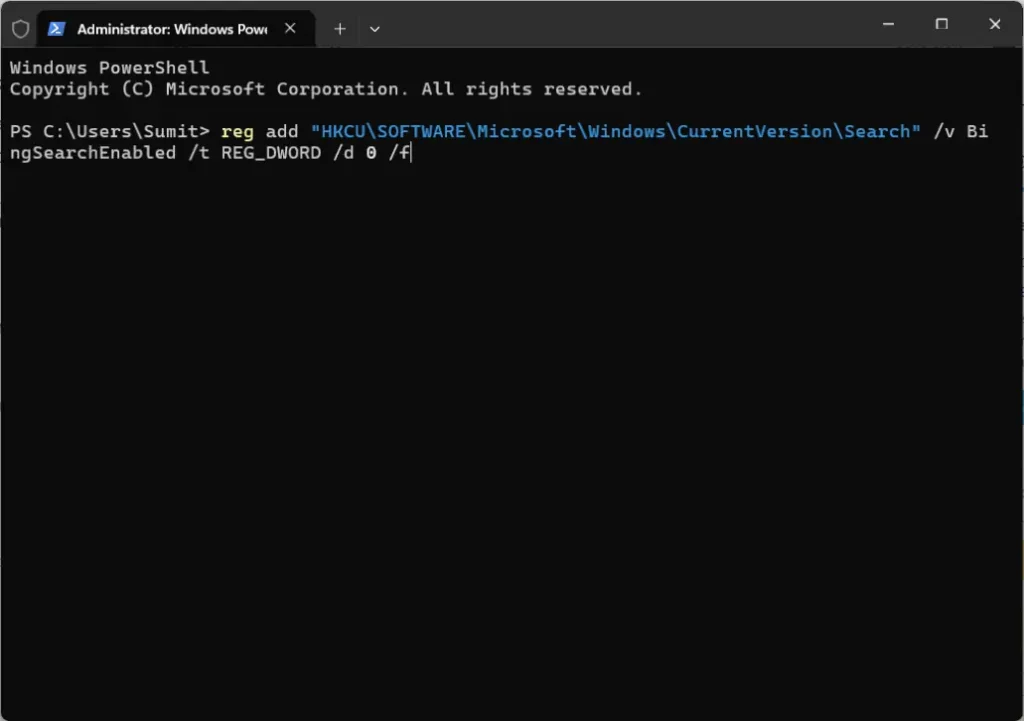
- You can simply copy/paste these commands one by one each line.
- Restart the computer afterward.
The Search box should now return to normal. Additionally, Microsoft is also rolling out a fix soon with the latest Windows update.
Miscellaneous Fixes
Our Guide about Windows 10/Windows 11 Taskbar problems should also help you pretty much if these steps have not helped you, since the Taskbar and Search are part of Windows Shell which are closely tied up.
To summarize, this article will help you fix the annoying issue where the Windows 10 Search background is white.