If you loved the Microsoft Edge Drop feature and are disappointed with the retirement, you may not be out of luck.
If you are following Microsoft Edge, you may have seen that Microsoft has made some changes in the browser space, one of which is to retire the Microsoft Edge sidebar, which we discussed here. Moving forward from that, there is another piece of news: the Edge Drop feature will be retired, i.e., Microsoft Edge Drop will be removed by the Microsoft Edge Team from the browser in the coming months.
Table of Contents
What is the Microsoft Edge Drop feature?
Microsoft Edge Drop is a built-in feature that lets you quickly share files, photos, links, and notes between your PC, Mac, Android, and iPhone using Microsoft Edge. It works like a private chat with yourself, where anything you send through Drop is synced across your devices using your Microsoft account. On a desktop, you can even drag and drop files directly from Windows File Explorer into the Drop panel, making it a convenient way to transfer files without using email or other third-party apps.
Microsoft Edge Drop Retirement – how it may affect you
A recent message notification in Microsoft Edge says:
Drop is being retired. Files you shared are saved in your OneDrive. Text notes need to be downloaded separately.
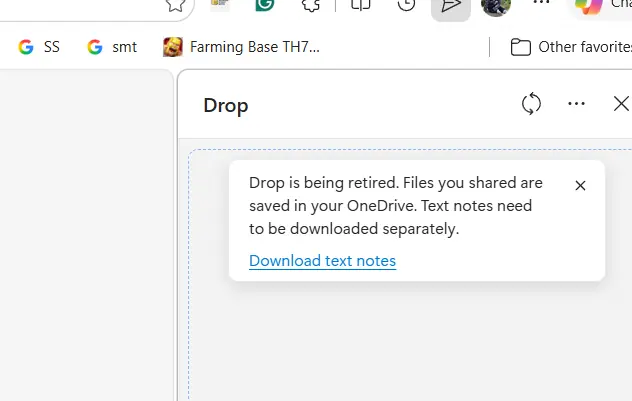
Since Drop, the sidebar, and similar features made Microsoft Edge special, this is a very frustrating experience for users, and Reddit users and others on social media have heavily criticized this decision of Edge Drop feature retirement.
What options are available if you use the Microsoft Edge feature?
You have a couple of options if you used the Drop feature:
Phone Link App
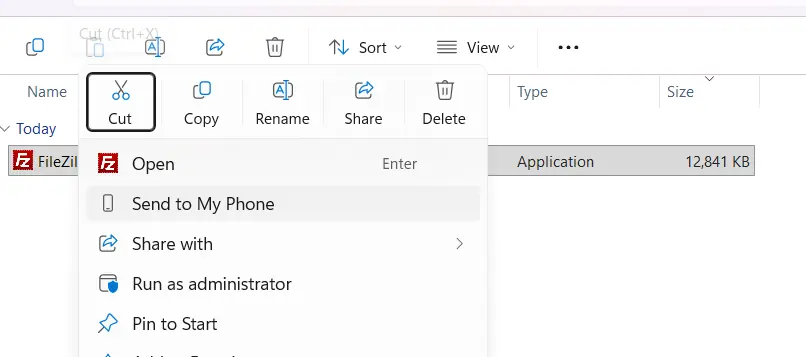
The Microsoft Phone Link app is an ideal cross-device solution with a variety of features and ideally serves as a reliable alternative to Microsoft Edge Drop retirement. It provides the following features:
- Cross-device copy and paste from Phone to PC, and Vice-versa.
- Send Photos, files, etc both ways.
- One-click easy access to the phone’s gallery, messages, etc.
Phone link, as of now, can do everything what Edge Drop offered previously.
AppDrop on Microsoft Store
A new app, AppDrop, was discovered by WalkingCat on Twitter. My hunch is it might be an app-version replacement for the Edge Drop feature retirement, which is still in the works. More on when the app is properly published to the Microsoft Store.
To summarize, people are disappointed by the news of the Edge Drop feature’s retirement, but AppDrop and the MS Phone link offer some hope.