Some Microsoft Edge users saw that after updating to version 149 to find the Microsoft Edge sidebar missing from their browser. This article explains where the sidebar is gone, and what your options are.
Table of Contents
What is Microsoft Edge sidebar?
The Edge sidebar is a vertical panel on the right side of the browser that lets you open apps like Outlook, Office, WhatsApp, or even pinned websites without leaving your current tab. It was designed to improve multitasking by keeping productivity tools always available.
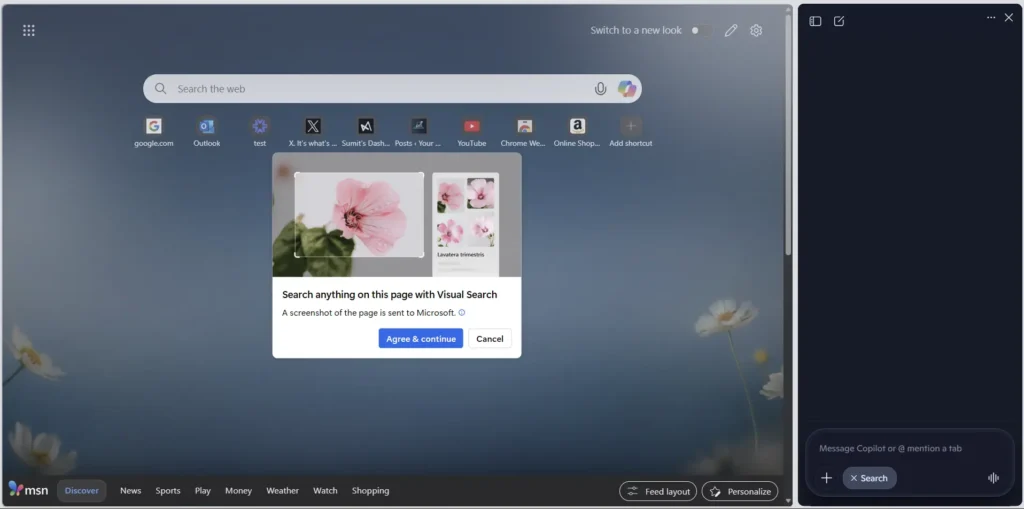
Why is the Microsoft Edge sidebar missing?
Recent Edge updates (version 149, June 2026) officially removed the Sidebar and Collections features to make room for the new Copilot integration. Microsoft confirmed that the Sidebar is no longer available in the latest builds, shifting focus to AI‑powered tools, and they have been notifying users since the release of Microsoft Edge 148.
- Sidebar app list is being retired
- We’re simplifying Microsoft Edge. The sidebar app list will be retired in the near future, starting with Microsoft account (MSA) users. There is no confirmed retirement date at this time.
- New apps can no longer be added to the sidebar, and apps currently pinned in the app tower will be removed in a future update.
- Copilot is not affected by this change, and we’re continuing to improve and enhance it.
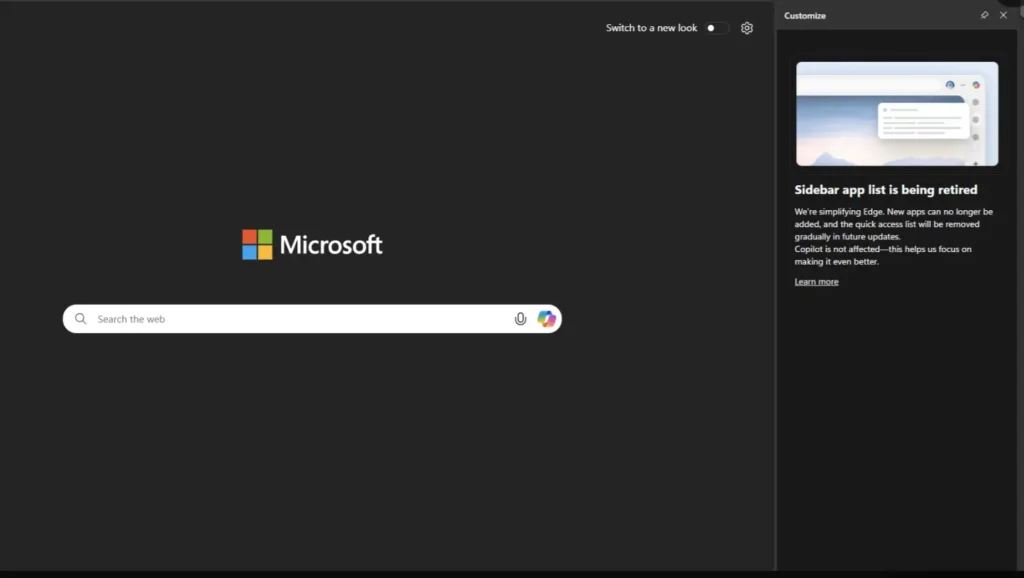
In addition, Microsoft also killed Edge’s frontier feature, Collections. So if Microsoft Edge Collections are missing, too, that is also due to Microsoft’s recent AI push on Edge.
It seems like Microsoft tried to kill 2 birds with one stone, with Microsoft Edge Sidebar missing a decision:
- Mimic Gemini in Chrome, which functions similarly, with Copilot exclusive here.
- Try to increase Microsoft Copilot’s MAU: Some people like me who used ChatGPT are now forced to use Copilot due to muscle memory.
Best options since the Edge sidebar is no longer available
Since the Microsoft Edge sidebar missing change has frustrated many users, there are options to switch to another browser that offers similar functionality. I write this courtesy of Alternatives for the Edge sidebar : r/MicrosoftEdge post.
- Vivaldi is arguably the strongest option on this list. It lets you pin multiple sites and shortcuts like history and bookmarks, includes navigation controls, supports mobile and desktop view switching, and even lets you reposition the sidebar to the left or right. You can float or pin the panel, set it to auto-hide, and control it entirely through keyboard shortcuts and gestures. Available on Windows, macOS, and Linux.
- Naver Whale comes closest to replicating the full Edge sidebar experience. It supports autohide, multiple pinned sites, shortcuts, a tools section similar to Edge, navigation controls, and mobile/desktop view toggling. Most notably, it’s the only browser here that offers something close to Edge Bar — letting you use the sidebar outside the browser window, similar to how it worked in Windows 10. Available on Windows and macOS.
- Floorp offers solid sidebar flexibility — you can pin multiple sites, bookmarks, history, and notes, control which container sites open in, adjust the panel width, manage audio, and switch between mobile and desktop views. The sidebar can also be moved around the screen and pinned in place. Available on Windows, macOS, and Linux.
- Yandex Browser takes a similar approach to Opera but goes a step further by letting you add custom sites on top of the defaults. It supports pinned and floating site modes, mobile/desktop view toggles, and navigation controls. Sites can also run as PWAs. Available on Windows, macOS, and Linux.
- Opera and Opera GX focus the sidebar on social media platforms and AI tools like ChatGPT, along with a native media player, history, and bookmarks. Auto-hide is supported, and GX users can match the sidebar icon colors to the browser theme. Available on Windows, macOS, and Linux.
- Samsung Browser includes some unique additions like a built-in calendar, AI assistant, and Samsung device sync, along with navigation controls and both floating and fixed tab modes. Available on Windows only.
- Coccoc keeps things straightforward with multi-site support, quick access to history, basic navigation controls, and mobile/desktop view switching. The sidebar can be placed on either side of the screen. Available on Windows and macOS.
To summarize, if you are not a happy camper about Microsoft Edge sidebar missing, you can try these alternatives.
For Microsoft Edge, collections are missing; the recommended option is to use Bing saves.