If you are using Windows 10 or Windows 11, you might be familiar with OneDrive, the cloud storage solution included with Windows. OneDrive is also the primary Cloud Solution Provider for the Microsoft 365 Suite. This article discusses a known issue with OneDrive where you receive unsolicited OneDrive file folder sharing invitations from spammers.
Table of Contents
What is OneDrive?
OneDrive is Microsoft’s built-in cloud storage service that lets you keep your files online so you don’t have to rely only on your device’s local storage. Once it’s set up, anything you save in the OneDrive folder can be accessed from your PC, phone, or even a web browser, as long as you’re signed in with your Microsoft account. It’s meant to quietly sync your documents, photos, and other files in the background so you always have the latest version wherever you go.
Sharing is as simple as well – you can send someone a link to a file or folder and choose whether they can just view it or make edits. Since it’s integrated into Windows and Microsoft 365 apps, it feels more or less like a natural extension of your regular file storage, just with the added benefit of being accessible from anywhere.
OneDrive known issue – Unsolicited OneDrive file folder sharing Invitations appearing in your Email
Many people have suddenly started noticing strange OneDrive sharing emails from unknown sender, inviting links to random files and folders. Sometimes, Emails do not even land in the spam folder, prompting a notification, which can be a bit troubling. Fortunately, simply receiving a share invitation doesn’t make you liable for anything, and you’re safe as long as you don’t open the links.

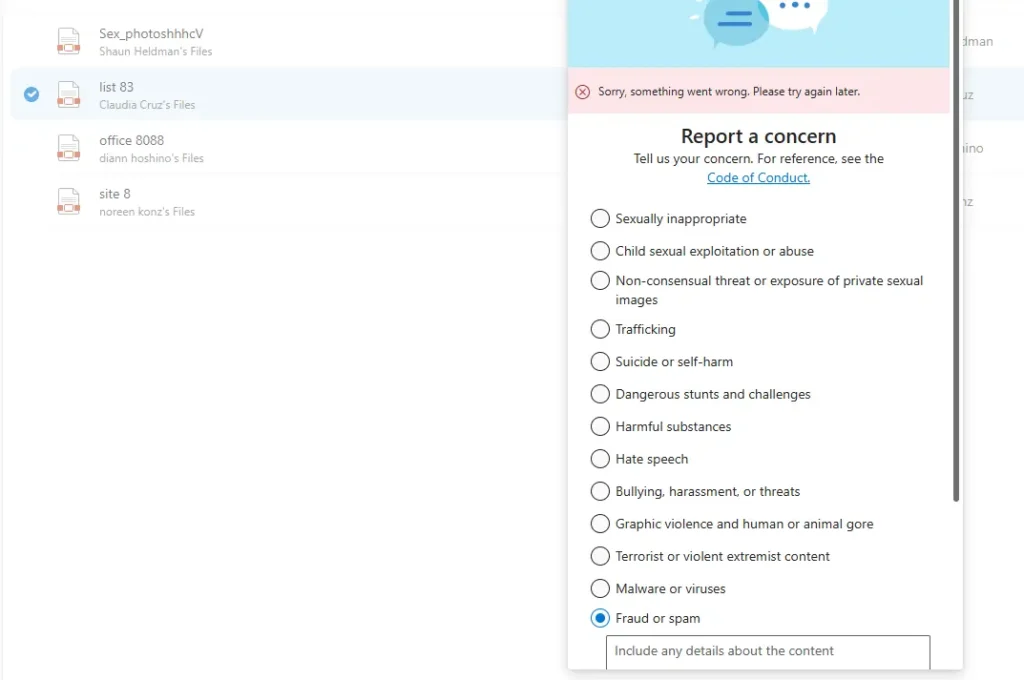
The bigger frustration is that while most of these files can be reported as spam or abuse, some people report that when they report it as Spam, it refuses to submit and shows a “Sorry, something went wrong” error, leaving users unsure whether they’ve done enough. The sudden spike over the past few days suggests a new bot campaign abusing the OneDrive folder invitation sharing system, which currently does not have a fix.
Fixing the Unsolicited OneDrive invites problem
Unfortunately, there does not appear to be a fix for this problem. The root cause of the problem is that your Microsoft account email was breached somewhere (which you can check here) Which is being used by the attacker To send you the invite.
You can keep trying to report a concern on the OneDrive page with fraud or spam so that the teams can have a look at it quickly.
Disabling the alias may also help to get rid of the OneDrive folder invitation nuisance
Since the whole problem lies in the nuisance of your Microsoft email account being exposed, you should be able to get rid of it simply by deleting the alias (warning: this has repercussions!) and using a new one. The detailed steps on how to do that are below:
Stopping Single use code emails from Microsoft
To summarise, this article would help you get rid of unsolicited OneDrive file folder sharing invitations.