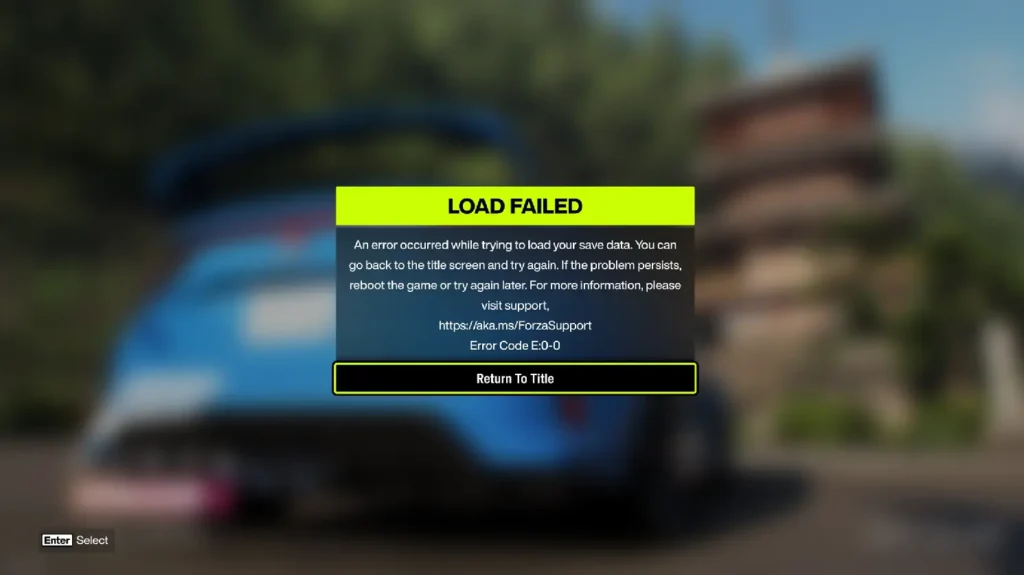
If you are in Love with the FH6 but are getting the E0 C0 error in the Forza Horizon 6 game, check out this guide
This article will help you fix the E0 C0 error in Forza Horizon 6, which has been trending and reported by a lot of people.
Table of Contents
What is Forza Horizon Game series?
Forza Horizon is an open-world racing game series from Xbox Game Studios that lets players drive a wide range of cars, explore expansive maps, and enjoy fast, festival-style racing across different locations. It is popular because it combines fun driving with freedom, allowing players to race, collect cars, and complete challenges in a single game world. The keyword “Forza Horizon E0 error” refers to a game issue that can prevent the game from loading, and common fixes include updating the game, restarting the device, troubleshooting Display checking the internet connection, and repairing or reinstalling the game if needed.
What is the Forza Horizon E0 error, and what are its fixes?
I have seen many posts about the E0 and E0 C0 error in Forza Horizon 6, but could not find any definitive root cause. It seems like the FH6 dev team is investigating it. I have compiled some fixes for Windows device below.
Run FH6 as administrator
People have reported that if you run the game as admin, Forza Horizon E0 error might go away. Steps for that are here. Since it is bundled as a modern app, it may be difficult to follow.
- Press
Win + Rto open the Run dialog box. - Type
shell:AppsFolderand pressEnter. - Locate
Forza Horizon 6, then right-click it. - Select
Create shortcut. - On the desktop, right-click the
Forza Horizon 6shortcut. - Select
Run as administrator. - Complete the game setup and confirm that your progress saves correctly.
- Keep using this desktop shortcut and select Run as administrator every time you launch the game, game saves may not work properly. Unfortunately, there is currently no option to permanently enable, and launching the game from the Xbox app shortcut may also prevent saves from working correctly.
However, this issue may return after future updates. To check if saving works, change the color of one of your cars. If the game saves normally, you are good to go. If it gets stuck on a save loading screen, saving is not working properly.
Ensure the Services are running
Be sure that in services.mSc, the following services are enabled and running after every PC restart, i.e., set them to Automatic.
- Xbox Live Auth Manager
- Xbox Live Game Save
- Xbox Live Networking Service
- Gaming Services
If you know any other solutions for the E0 C0 error in Forza Horizon 6, let us know in the comments…