Here’s how to fix the 550 5.7.520 spam block on Outlook accounts, also known as 4810 error in Outlook
If you’re seeing “550 5.7.520 Message blocked error because it contains content identified as spam. AS(4810)” when sending from Outlook.com or a Live.com address, you’re not doing anything wrong. This is a known Outlook.com sending restriction, and you can usually fix it without contacting Microsoft support directly.
Table of Contents
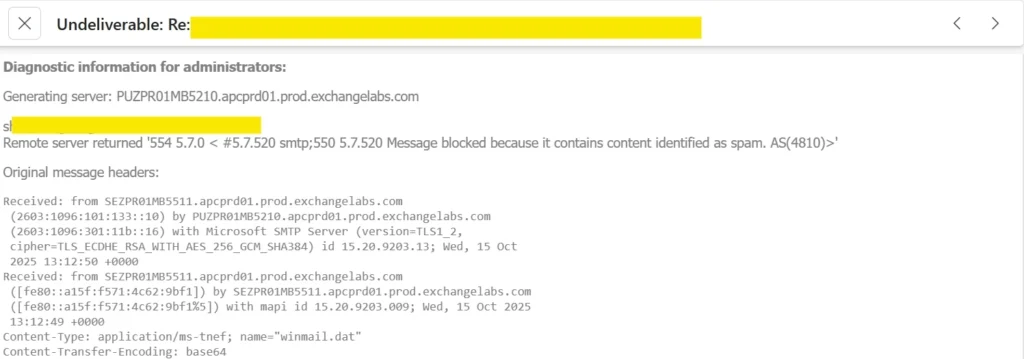
What Does the 550 5.7.520 Message Blocked Error Mean?
This error means Outlook.com’s outbound spam filter has flagged your account, not your message. It shows up as a Non-Delivery Report (NDR) a few minutes after you send, even though the message appears successfully in your Sent Items folder first. You can still sign in, receive mail, and browse your inbox normally just the block only applies to sending.
The AS(4810) tag is Microsoft’s internal reference for this specific spam-filtering rule. It’s a server-side reputation check, not something caused by a virus or a compromised device.
How to solve “Content Identified as Spam” aka 4810 error in Outlook
Outlook.com caps how many emails you can send per day to protect against spam abuse, and the cap is stricter for free, non-subscriber accounts than for Microsoft 365 subscribers. Microsoft 365 subscribers get up to 5,000 daily recipients and 1,000 daily “non-relationship” recipients (people you’ve never emailed before) — free accounts get a noticeably lower, unpublished limit that tightens further on newly created accounts. If you’ve been sending a lot of test emails or messages to addresses not in your Contacts, that alone can trigger a temporary block. More about it is mentioned here.
Once you’ve ruled that out, try these three fixes in order.
Send Using Plain Text
Switch your compose format from HTML to Plain Text. Spam filters sometimes flag HTML formatting, embedded fonts, or signature styling as risk signals.
- Open the Gear icon > Settings
- Go to Mail > Compose and Reply
- Under Message format, change Compose messages in from HTML to Plain text
Send a fresh test email after switching.
Remove Your Email Signature
If you have a signature set up, remove it temporarily. Signatures with logos, images, or extra formatting can sometimes be misread as promotional content by the filter. Go back to Compose and Reply in Settings, clear your signature, and test again. More about it is here:
File a Sender Support Request
If plain text and no signature still don’t get your emails through, file a request directly with Microsoft at the Sender Support Portal. This routes your case to the team that reviews sending restrictions and reputation flags, and it’s the official channel for lifting a false-positive block by Microsoft.
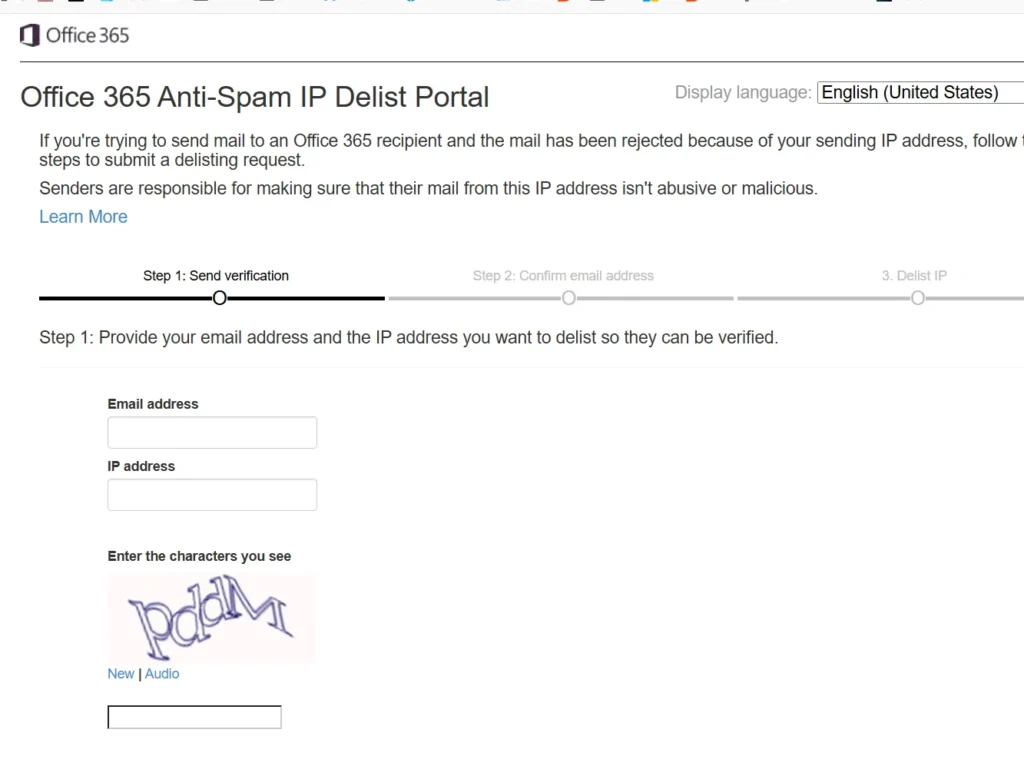
Miscleanous
Some miscellaneous troubleshooting steps are here:
- Restart your Router to get a fresh IP, which can sometimes resolve the 550 5.7.520 Message Blocked Error.
- If you are adding any attachments, remove them too as troubleshooting
To summarize, the 550 5.7.520 / 4810 error in Outlook is almost always a sending-reputation issue, not a broken account. Try plain text, drop your signature, and if the block persists, the sender form is your fastest path to a real fix.