Many users are reporting that Microsoft Office 2019 for Mac or Microsoft 365 for Macnot working on older MacOS versions i.e. a 0x0 activation error is seen in Mac Apps. This article sheds light on why these are no longer working and whether there are any available options.
Table of Contents
What is Microsoft Office for Mac?
Microsoft Office 365 or 2019 for Mac is a subscription / one-time purchase version of the Office suite, respectively. It includes core apps such as Word, Excel, PowerPoint, and Outlook. Both Microsoft 365 and Office 2019 for Mac are available for purchase.
Why is Microsoft 365 for Mac not working for older Macs?
A bit of background: Microsoft uses a built-in digital licensing certificate inside its Office apps to verify that your license is valid. This certificate expired on July 13, 2026, and Microsoft has not renewed it for Office installations running on unsupported operating systems and devices. As a result, affected Office apps can no longer validate their licensing status and automatically switch to Reduced Functionality Mode. In this mode, you can still open, view, and print existing documents, but you cannot create new files, edit existing ones, or save changes.
This is not limited to Office 2019 for Mac not working. The issue can also affect Microsoft 365 subscribers and Office 2021 users if they are running Office on unsupported versions of macOS, iPhone, or iPad. For most users, updating the operating system first, then updating Office to a supported version, restores full functionality. However, Office 2019 for Mac remains limited because it is no longer supported and cannot be updated to a version that works with the renewed licensing certificate.
Available options if you are affected with Microsoft 365 for Mac not working issue
In short: there isn’t a universal fix. What you can do next depends on your Office version and whether your device supports the required operating system updates.
If your Mac cannot be upgraded to macOS 12 Monterey or later, or your iPhone/iPad cannot be updated to iOS/iPadOS 17 or later, you won’t be able to install the 365 updates to fix Microsoft 365 for Mac not working problem on older Macs, which are required to restore full functionality. In that case, your available options are:
- Use Microsoft 365 on the web. You can continue using Word, Excel, PowerPoint, and other Office apps directly from your browser. This lets you create, edit, and save documents without installing the desktop apps.
- Install Office on another supported device. If you have a Microsoft 365 subscription, you can install the latest Office apps on another supported Mac, Windows PC, iPhone, iPad, or Android device by signing in with the same Microsoft account associated with your subscription. If you own Office 2021, you can reinstall it on a supported Mac or Windows PC linked to your Microsoft account.
- Upgrade to a newer device. If your current Mac, iPhone, or iPad is no longer eligible for the required operating system updates, moving to a newer supported device is the only way to continue using the desktop Office apps with full functionality.
If you are using Office 2019 for Mac, and hitting the Office 2019 for Mac not working issue, the situation is different. Office 2019 reached the end of support in 2023 and no longer receives feature or licensing updates. Because of this, reinstalling Office or entering your product key again will not resolve the issue. The desktop apps cannot be restored to full functionality on affected devices.
For Office 2019 for Mac users, your practical options are limited to:
- Continue using Microsoft 365 on the web, which provides free access to Word, Excel, PowerPoint, and other Office apps through a web browser.
- Upgrade to Microsoft 365 to receive a supported version of Office that continues to receive updates and works on supported operating systems.
- Use Office on a supported Windows PC or another compatible device if you have access to one.
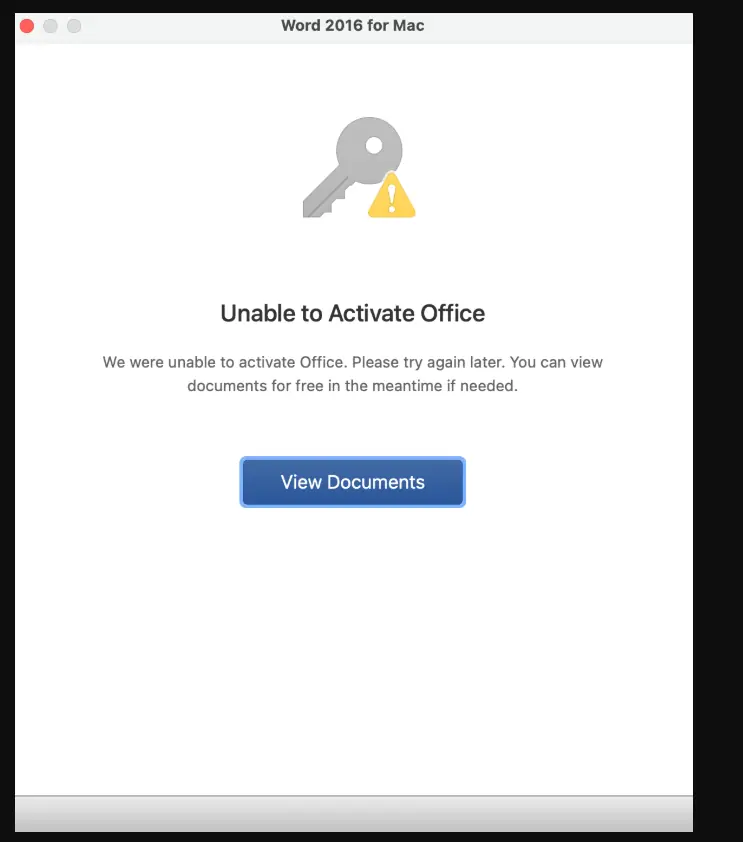
A support document about it has been published here, which says the following.
Starting July 13, 2026, some users may notice that Office apps (Word, Excel, PowerPoint, Outlook, or OneNote) can open and print files, but cannot edit, save, or create new files – called “reduced functionality mode”. This happens when support for Microsoft Office apps is no longer continued for older operating systems or devices.
This issue affects both Microsoft 365 subscribers on macOS, iPhone, and iPad, and those with non-subscription software, including Office 2021 or Office 2019 on macOS. For most users, updating your OS, and updating your apps will resolve it.
To summarize, Microsoft 365 or Microsoft Office will deactivate if you are using an older version of MacOS or Office 2019 or earlier.