After installing Windows 11 KB5127648, some devices can’t connect to corporate Wi-Fi networks that use WPA2-Enterprise with 802.1X and PEAP authentication. The authentication process starts but does not complete, and affected systems may report Event ID 12014, indicating a OneX Held State timeout.
The KB5127648 Wi-Fi issue has been reported across different hardware vendors and wireless chipsets. In some environments, wired Ethernet connections using 802.1X authentication are also affected. Removing the update has restored connectivity in the reported cases.
Why Is KB5127648 Causing Wi-Fi Issue?
The problem appears to affect enterprise authentication rather than ordinary Wi-Fi connectivity. WPA2-Personal networks continue to work, while corporate networks using 802.1X and PEAP may fail to authenticate.
The reports suggest that the issue could be related to changes in Windows authentication security, particularly in domain-joined environments using PEAP with MS-CHAPv2. However, the available reports do not establish a confirmed root cause, and the issue should not automatically be attributed to wireless drivers.
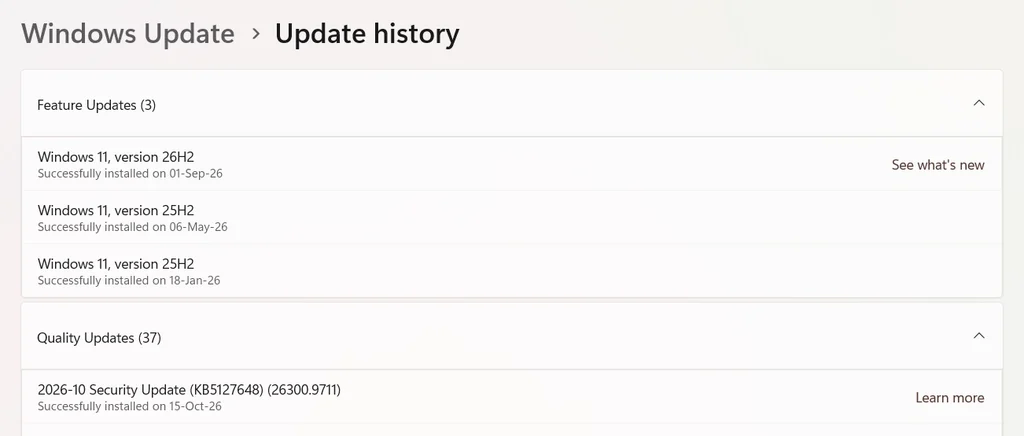
Table of Contents
How to Fix the KB5127648 Wi-Fi Issue
There are two methods, which are the most reliable ones:
Uninstall KB5127648
If the problem started immediately after installing the update, removing it is a reported workaround.
- Open Settings and select Windows Update.
- Select Update history.
- Scroll down and select Uninstall updates.
- Find KB5127648 and select Uninstall, if available.
- Restart the PC and test the corporate Wi-Fi connection.
This workaround restores connectivity in the reported cases, but uninstalling a security update may leave the device exposed to vulnerabilities addressed by that update. For consumer devices, you can uninstall using these alternatives too.
Check the reported registry workaround
Another workaround reported in a Microsoft Q&A discussion involves changing the BlockNtlmv1SSO registry value to 0. The value is located at:
HKEY_LOCAL_MACHINE\SYSTEM\CurrentControlSet\Control\Lsa\MSV1_0The reported change sets the DWORD value BlockNtlmv1SSO to 0, which places the setting in Audit mode rather than Enforce mode.
This is a security-related setting, not a routine Wi-Fi configuration change. Be sure to ask your IT administrator verify the Microsoft guidance and confirm that the change is appropriate for your authentication environment. Changing this value may weaken security; keep that in mind. You may refer to this Microsoft Support document.
Conclusion
The KB5127648 Wi-Fi issue involving 802.1X and PEAP authentication can prevent Windows 11 devices from connecting to WPA2-Enterprise networks that use 802.1X and PEAP. In reported cases, uninstalling the update has restored connectivity, and a registry workaround has also been reported. Because the registry change affects authentication security, administrators should verify the cause and evaluate the risks before applying it organization-wide.