Updated July 29th 2026
This article discusses the Latest updates for Windows 10 and Windows 11, released monthly.
Table of Contents
Windows Update Cadence
Windows follows a monthly update cadence to ensure both security and quality improvements. The “B” release, also known as Patch Tuesday, occurs on the second Tuesday of each month and is the primary update event. This release includes both new security fixes and previously released non-security fixes. Additionally, Microsoft issues optional “C” and “D” releases in the third or fourth week of the month, respectively. These are preview updates containing only non-security fixes, intended for advanced users and IT professionals to test and validate upcoming changes before they are incorporated into the next “B” release.
Latest updates for Windows 10 and Windows 11 – November 2025
The following details, updated monthly, describe the latest updates to the Windows Family Operating System by Microsoft:
Windows 10
Microsoft plans to update Windows 10 version 22H2 until 2026, as announced recently. The following updates are available for Windows 10, version 22H2:
August 2026 B release: August 11, 2026—KB5120249 (OS Builds 19045.7663 and 19044.7663) | Microsoft Support
More information can be gathered from the Windows 10 Update History Page.
Windows 11
The latest edition of Windows, Windows 11, has three supported versions: Windows 11 26H1, Windows 11 25H2 and Windows 11 24H2.
Windows 11 26H1
For the Windows 11 26H1 release, based on Silicon, the following release notes are available:
August 2026 B Release: August 11, 2026—KB5121000 (OS Build 28000.2704) | Microsoft Support
July 2026 C Release: July 28, 2026—KB5101681 (OS Build 28000.2608) Preview | Microsoft Support
Windows 11 25H2
For Windows 11 24H2 and 25H2, the release notes are as follows.
August 2026 B Release: August 11, 2026—KB5121003 (OS Builds 26200.9168 and 26100.9168) | Microsoft Support
July 2026 C Release: July 28, 2026—KB5101684 (OS Builds 26200.8973 and 26100.8973) Preview
Windows 11 24H2
For Windows 11 24H2, the following are the latest updates for Windows release notes.
August 2026 B Release: August 11, 2026—KB5121003 (OS Builds 26200.9168 and 26100.9168) | Microsoft Support
July 2026 C Release: July 28, 2026—KB5101684 (OS Builds 26200.8973 and 26100.8973) Preview | Microsoft Support
Downloading Windows update offline
Microsoft maintains a catalog for downloading the MSI package for updates. You can enter the KB number in the Windows Update Catalog to download the package and install a Windows update offline. Concurrently, it provides benefits in cases where your Windows update engine encounters a problem.
More resources for Windows Update
Attached are some resources if you want to learn more about Windows Updates:
- Windows as a service – Overview
- Windows 10 release information
- Windows Update: FAQ
- Microsoft Surface update history
This article will be updated monthly when the latest updates for Windows become available.
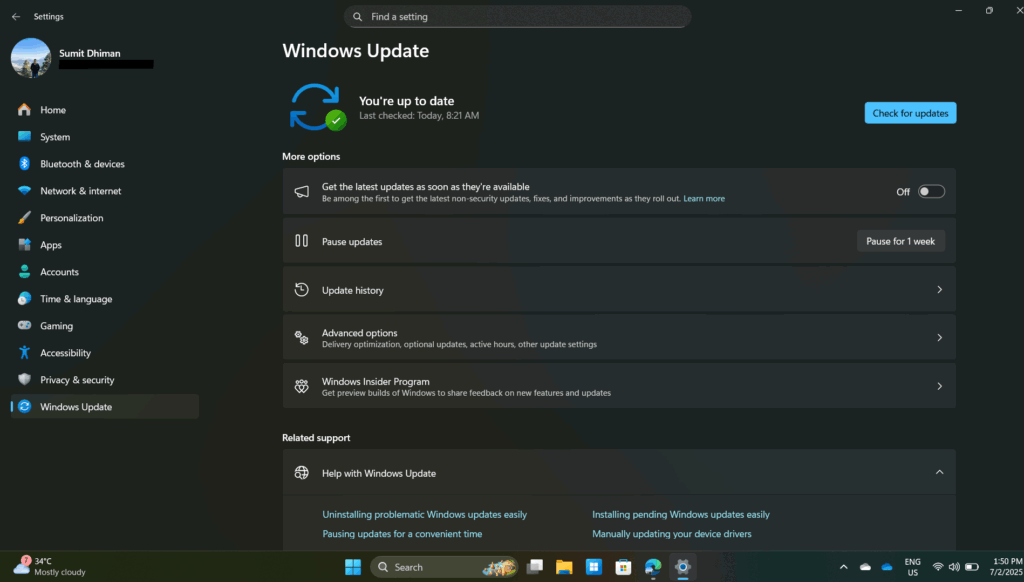
New Windows Change – Pause updates anytime you want
With the latest Windows update, you can now pause updates at any time you want. More on that in this article.