Microsoft recently released Windows 11 26H2, which brings many new features that truly improve the Operating System.
With the Windows 11 release, Microsoft announced that the Operating System will receive 1 feature update per year; it is now time for the 2026 release. Microsoft has released Windows 11 version 26H2, the annual release.
Table of Contents
Windows 11 Version 26H2 is an enablement update
Like Windows 11 25H2, this update is also a minor enablement update, which means the codebase for 25H2 and 26H2 is the same, except the enablement package just flips the version numbers.
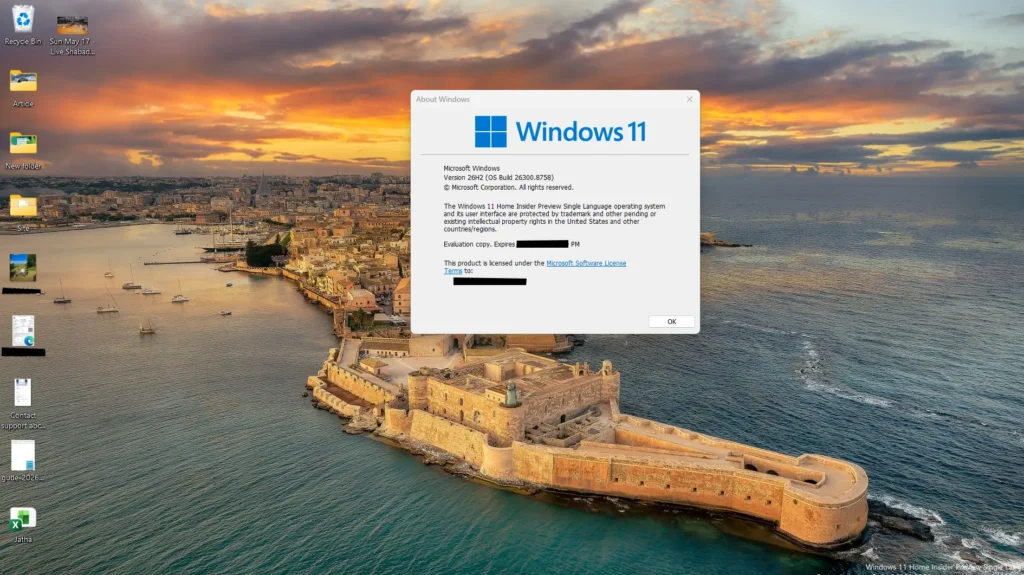
What is an enablement package?
Windows 11 26H2 is not a completely separate operating system from Windows 11 25H2. Both versions share the same core operating system and system files, which means many of the 23H2 features are already installed on devices running 22H2 through monthly quality updates. However, these features remain disabled until Microsoft releases a small enablement package. Installing this package simply activates the hidden features and upgrades your PC from Windows 11 25H2 to 26H2 with a single restart, making the update much faster than a traditional feature upgrade.
New features in Windows 11 version 26H2
If you are running Windows 11 25H2, you will get most of the features you already have, since 26H2 just flips the version number. We discussed some of these improvements in our other article, but there is a lot more 🙂
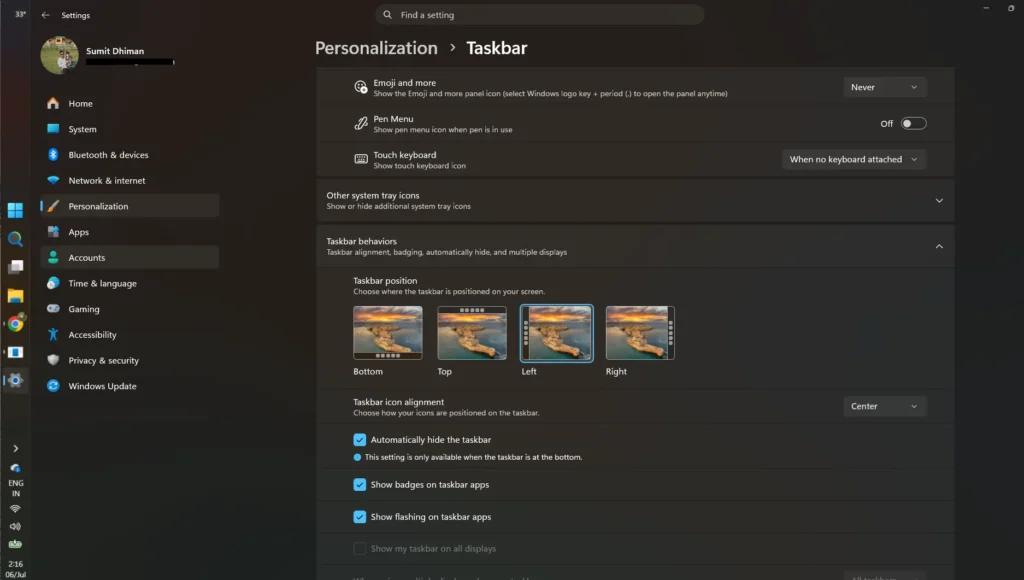
More Taskbar customization
With the Windows K2 efforts, Microsoft has enabled Taskbar customization. Improvements include:
- Movable Taskbar
- Smaller Taskbar
New redesigned start menu
- Microsoft has redesigned the Start menu in the latest version. The newest release makes better use of available space while giving users more flexibility in how the menu looks and functions. First, it now lets you make icons smaller or larger. The layout is also updated.
- The recommended section is now called Recent.
- A new option to hide your name and profile picture on the Start menu is being added.
- Disabling recent and suggested files will no longer turn off File Explorer’s recent history.
Web Search can now be disabled in the Start Menu search
The latest update now also includes the ability to disable Web search in the Start Menu, which is rolling out now. We covered it here:
More control over Windows update
With Windows 11 26H2, you can now pause updates for as many days as you want. We covered it here:
Miscleaneous
- Modern Run dialog: A refreshed WinUI-based interface with improved suggestions.
- Redesigned File Explorer menus: Related actions are grouped into cleaner submenus.
- Better File Explorer Properties: Improved layout and easier access to file information.
- File Explorer remembers sections: Expanded/collapsed sections on Home can now be remembered.
- New Screen Tint feature: Additional display customization options.
- Phone Link improvements: Better integration and notification previews.
- Cloud Rebuild Recovery: Additional recovery options when Windows needs to be rebuilt.
- Improved Windows Update experience: Updates can be coordinated to reduce unnecessary restarts.
Install Windows 11 26H2 update
To install the Windows 11 26H2 update, see this article:
Are you excited for the Windows 11 26H2 update?